

Image Search Techniques Uses In 2026
What Are Image Search Techniques? (And Why They Matter in 2026)
Image search techniques are ways to find, identify, or discover images using visuals instead of (or alongside) plain text. Forget just typing words—today’s tools analyze shapes, colors, objects, faces, and even context.
Why care in 2026? Google Lens alone handles billions of queries monthly, AI Overviews pull visuals into results, and visual discovery drives shopping, research, and fact-checking. Whether you’re verifying a meme, finding a product dupe, or boosting site traffic, mastering these saves time and unlocks hidden info.
(Here are some clean examples of modern search filter interfaces that show how tools organize results – think precise, user-friendly designs like these in dashboards or apps.)
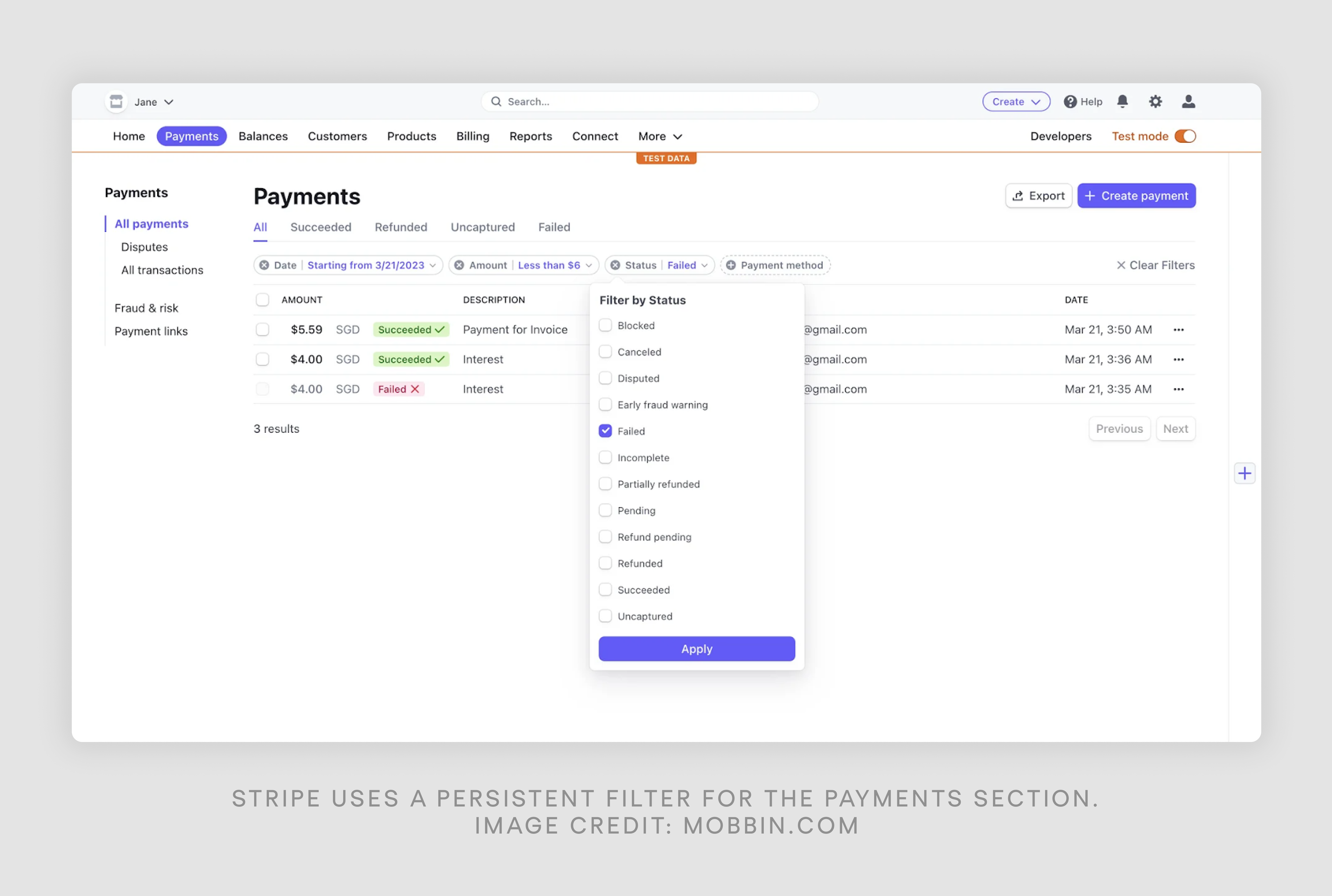
![Search Bar Examples: 30 Inspiring UI Designs [+ UX Tips]](https://cdn.prod.website-files.com/5f16d69f1760cdba99c3ce6e/685ea87a6c113bfd48a64da8_42.png "Image Search Techniques Uses In 2026 3")

1. Keyword-Based Image Search: Still the Foundation
Start here for quick wins. Go to Google Images, Bing Visual Search, or Pinterest and type descriptive keywords.
2026 tips:
- Get specific: “vintage mid-century modern teal armchair living room” beats “chair.”
- Use operators: “exact phrase”, OR (sneakers OR trainers), -exclude ( -stock -watermark).
- Filters rule: Tools → Size (large for wallpapers), Color (dominant hue), Type (photo vs. GIF), Time (past year), Usage Rights (Creative Commons for free use).
This method shines for inspiration or broad discovery, but it relies on text metadata—great until the image lacks good tags.
2. Reverse Image Search: The Power Move Everyone Needs
Upload a photo (or paste URL), and AI finds the source, similar versions, higher-res copies, or related content. In 2026, it’s smarter with deep learning spotting edits, crops, or deepfakes.
Top tools right now:
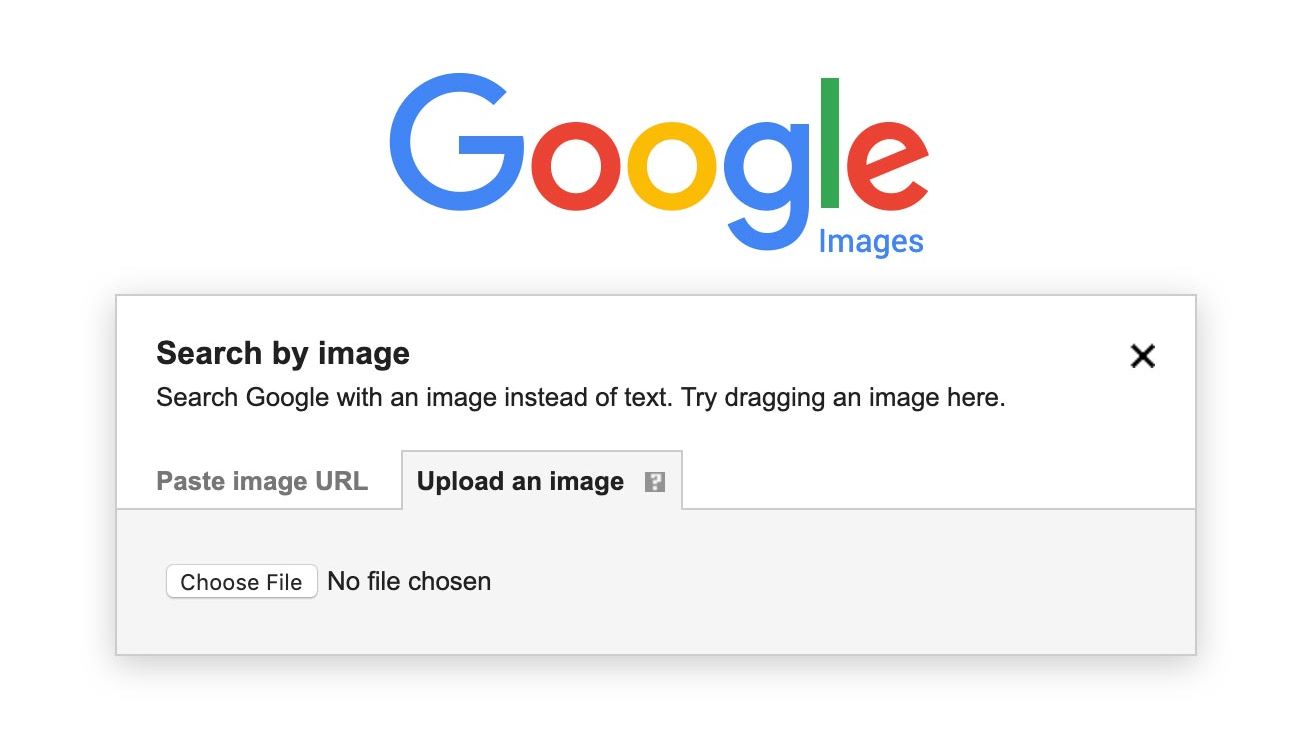
- Google Reverse Image Search (integrated with Lens): images.google.com → camera icon. Upload, drag-drop, or paste URL.
- TinEye: Best for exact matches and tracking changes over time.
- Yandex Images: Excellent for faces and non-English content.
- Bing Visual Search: Often catches e-commerce or social media hits Google misses.
Step-by-step on Google (mobile/desktop):
- Open images.google.com.
- Tap/click the camera.
- Upload from device or paste URL.
- Results show exact matches, visually similar images, source pages, and “About this image” for context/authenticity.
Pro hacks: Crop to focus (e.g., face only), try multiple engines, add keywords after upload for refinement.
(Real-world example of reverse search results – see how it highlights the uploaded image, size info, and similar visuals.)
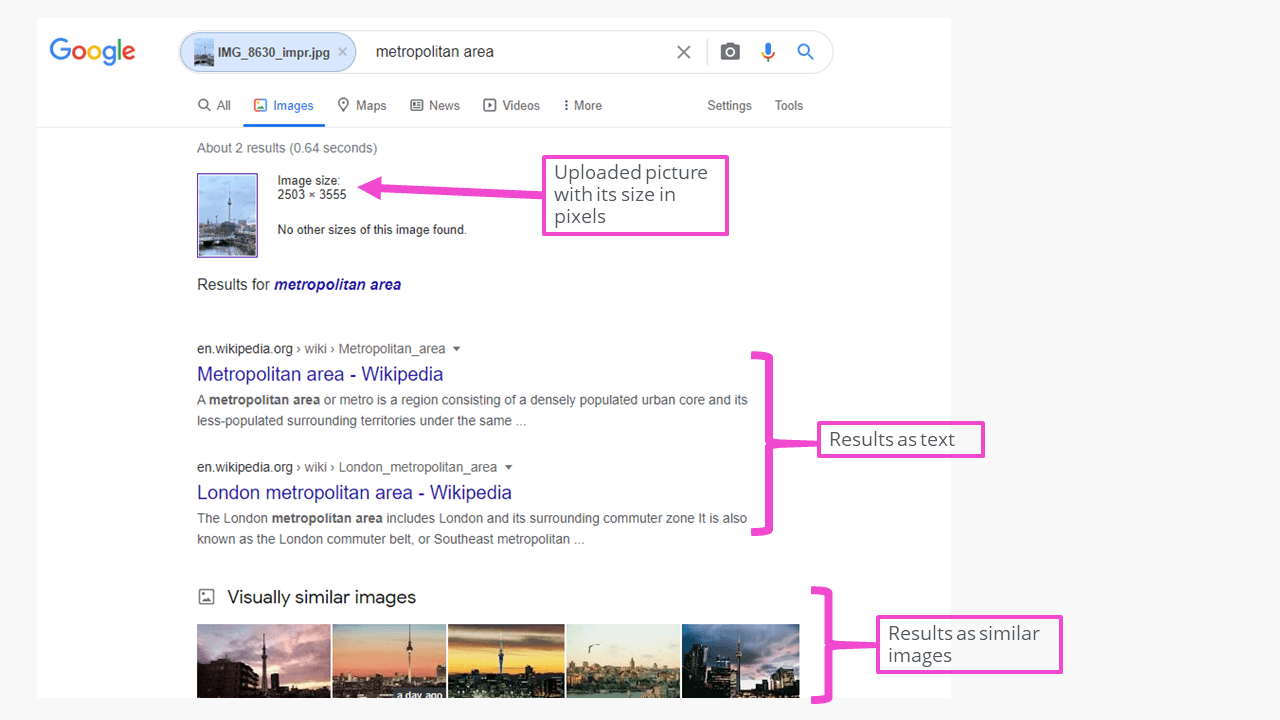

Use cases? Spot stolen art, verify news photos, find product origins, or hunt higher-quality versions.
3. Google Lens & Multimodal Visual Search: The AI Game-Changer
Google Lens in 2026 is next-level. Point your camera (or upload) at anything—plants, outfits, landmarks, text—and get instant info, translations, shopping links, or follow-ups.
Recent updates (from March 2026 Pixel Drop):
- Circle to Search identifies multiple items in one image.
- “Try It On” for virtual clothing fitting.
- Deeper integration with Gemini for conversational queries like “find similar blue sneakers cheaper.”
- Real-time AR overlays and multisearch (text + image).
How to use:
- Android: Google app → Lens icon (or hold home button).
- iOS: Google app → Lens, or add to Share Sheet.
- Live: Point camera; static: Upload photo.
Other players: Pinterest Lens (inspo-focused), Amazon visual search (shopping), or specialized apps like PlantSnap or Chance AI for niche recognition.
(Google Lens in action – spotting objects live on your phone screen feels futuristic!)

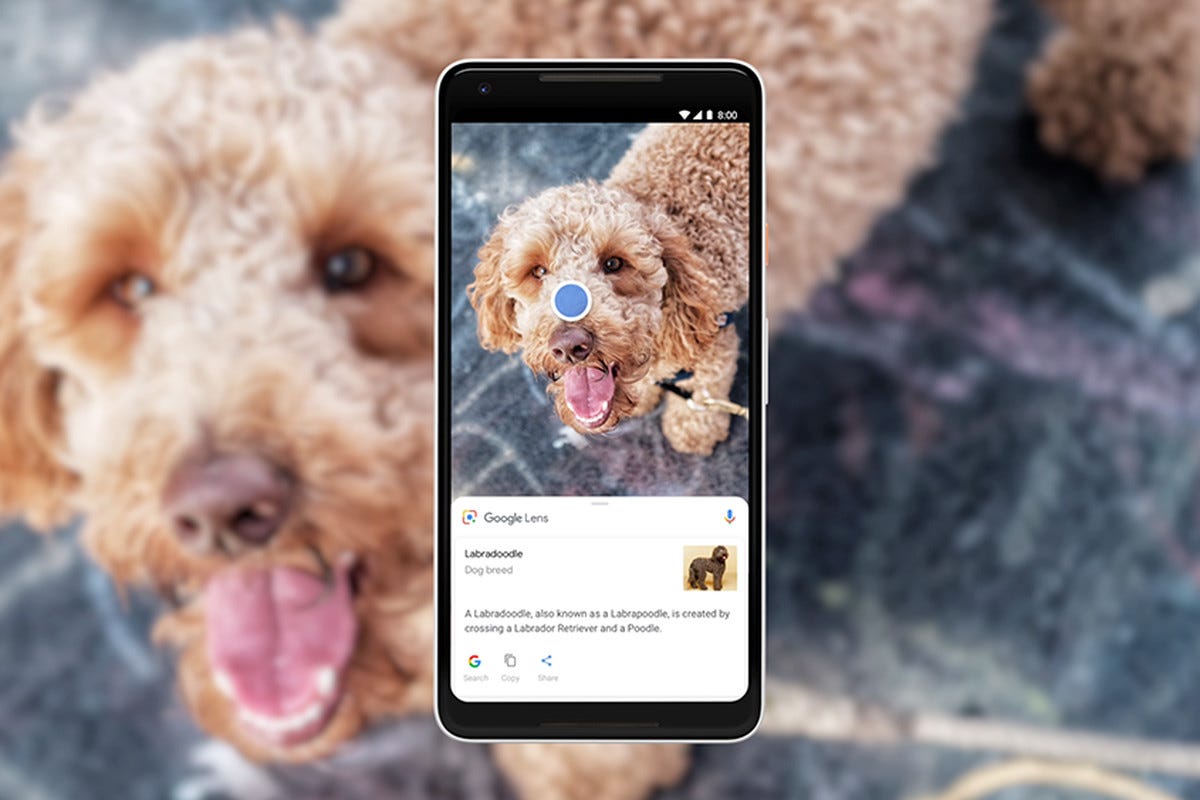

4. Advanced Techniques: Filters, Operators & AI Extras
Level up with Google Advanced Image Search:
- Size: Huge/壁paper-ready.
- Color: Red dominant, black & white.
- Aspect ratio, transparent backgrounds.
Combine reverse + filters: Upload first, then narrow.
Extras in 2026:
- Multimodal: Mix image + text (“this dress but vintage style”).
- Facial recognition: Tools like ProFaceFinder for people searches.
- Exclude: -AI-generated or -edited.
- Site-specific: Add “site:instagram.com” to keywords.
5. Visual Search Optimization & Image SEO: Rank Your Own Images in 2026
If you create content, visual search optimization (or image SEO) is huge. Google prioritizes context-aware visuals in Lens and AI results.
Best practices:
- Filenames: Descriptive (e.g., red-vintage-dress-summer-2026.jpg).
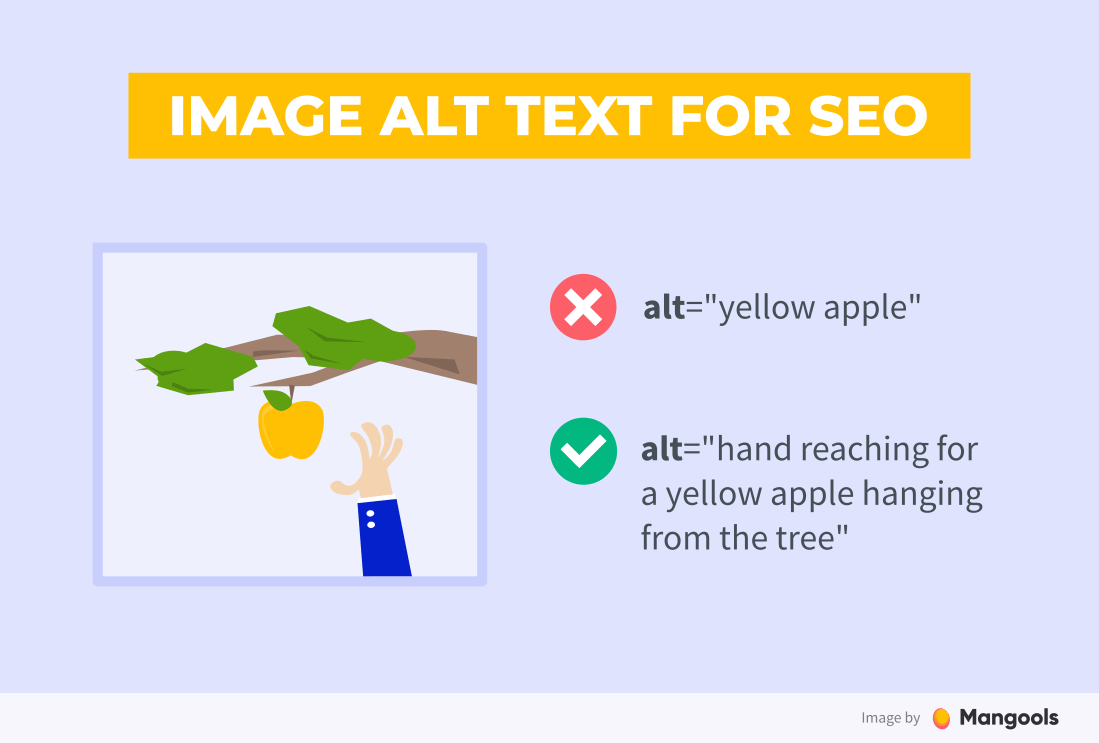
- Alt text: Detailed & natural (“woman wearing flowing red vintage summer dress in park” – not “img123.jpg”).
- High-res + fast-loading (compress to <100KB, use WebP).
- Surround with relevant text/context.
- Add schema markup (ImageObject).
- Mobile-first + captions.
In 2026, AI looks at surrounding content, entities, and quality—optimize for Lens visibility to drive traffic.
(Example of optimized alt text in action – descriptive tags make images discoverable.)

Wrapping Up: Pick the Right Technique for Your Goal
- Inspiration/browsing? → Keyword search.
- Source/origin check? → Reverse image search.
- Real-world identification/shopping? → Google Lens.
- Site traffic boost? → Visual search optimization & image SEO.
The future is multimodal—text, image, voice together. Practice these, stay updated with Pixel/Google drops, and you’ll search like a pro in 2026.
What’s your go-to trick? Share below—I’d love to hear!


